
# Getting Started
DUIX interactive products are based on speech recognition, speech synthesis, natural language understanding, AIGC, large models, and other technologies to achieve intelligent human-machine interaction experiences that can "listen, speak, and understand you." It is suitable for multiple enterprise application scenarios such as intelligent customer service and smart screens. This article introduces the DUIX interactive product features and functionality experience.
# Getting Started Process
The quick start documentation introduces the steps needed to use DUIX services, helping you quickly activate services, create test projects, and call DUIX services.

# Prepare Account
A DUIX account serves as the resource consumption account recognized by the DUIX system and has management permissions for DUIX products. You can register and log in to the DUIX official website (opens new window) using phone number verification code.
# Create Application
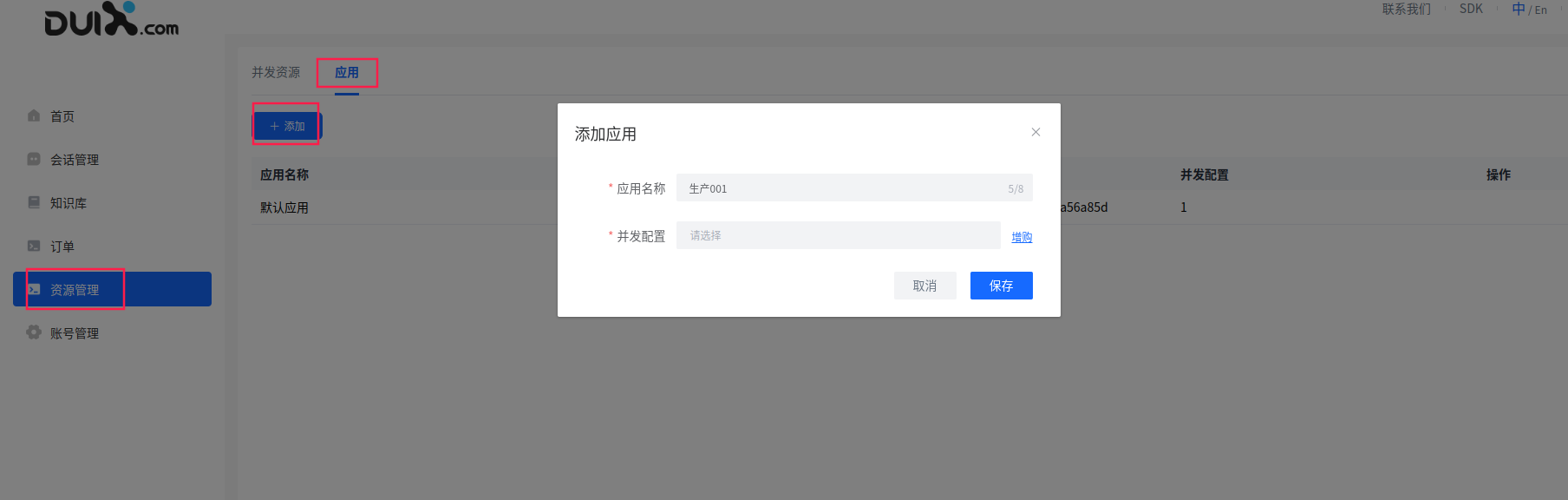
After logging into the DUIX workspace, you can add applications in the "Applications" tab under the "Resource Management" menu.
# Purchase Concurrency
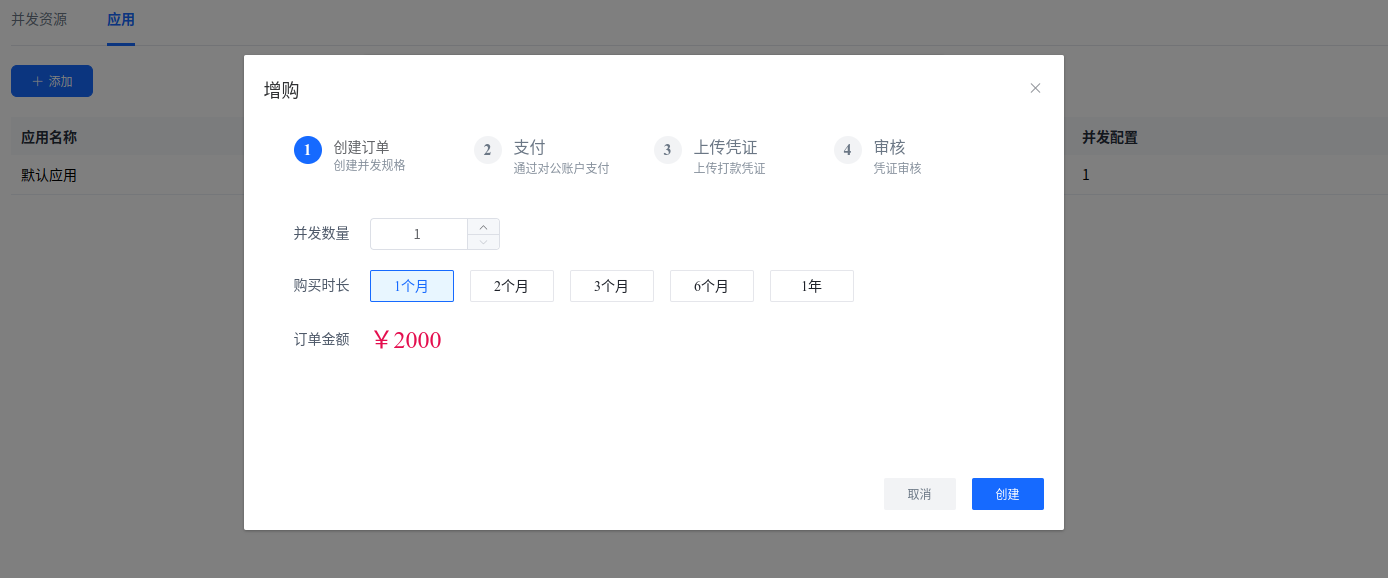
Since default applications are only for experience and do not guarantee concurrency, it is recommended to create an application and purchase concurrency to ensure stable service concurrency in a production environment.
# Get appId
After logging into the DUIX workspace, you can get the appId in the "Applications" tab under the "Resource Management" menu.

# Get conversationId
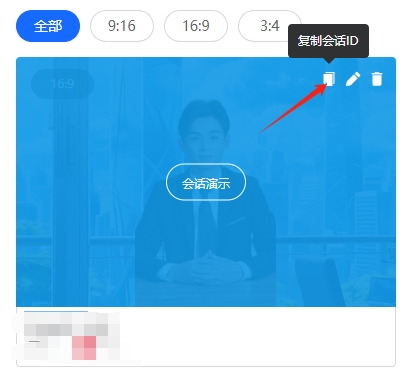
After logging into the DUIX workspace, you can copy the session Id from the session card under the "Session Management" menu
# Get Token
Access token is the service authentication credential for calling DUIX interactive services. All HTTP interface calls need to include the Token in the Header. Below we introduce the method for obtaining access tokens.
# Prerequisites
You must have obtained appKey and appId, which can be found in the created digital human session management.
# Steps
- Generate a signature using appKey and appId.
- Use the signature as a parameter for the init method of the h5 sdk
# Signature Generation
Signatures use the JWT mechanism. Users can refer to the following to complete the signature
# Parameter Description
The following parameters are needed for signature generation
| Name | Type | Description | Example |
|---|---|---|---|
| appId | string | Session identifier, obtained after session creation | xxxxxxx |
| appKey | string | Session key, obtained after session creation | xxxxxxx |
| sigExp | Integer | Signature validity period in seconds | 1800 |
# Demo Code
Here's an example code for signature generation, Java version
Add pom dependency

<dependency>
    <groupId>com.auth0</groupId>
    <artifactId>java-jwt</artifactId>
    <version>3.8.3</version>
</dependency>
import com.auth0.jwt.JWT;
import com.auth0.jwt.algorithms.Algorithm;
import java.util.Calendar;
import java.util.Date;

public class SigUtils {
    /**
     * Create signature
     *
     * @param appId  Session identifier
     * @param appKey Session key
     * @param sigExp Signature validity period in seconds
     * @return
     */
    public static String createSig(String appId, String appKey, int sigExp) {
        Calendar nowTime = Calendar.getInstance();
        nowTime.add(Calendar.SECOND, sigExp);
        Date expiresDate = nowTime.getTime();
        return JWT.create()
                //Issue time
                .withIssuedAt(new Date())
                //Expiration time
                .withExpiresAt(expiresDate)
                //Payload
                .withClaim("appId", appId)
                //Encryption
                .sign(Algorithm.HMAC256(appKey));
    }
}
** Note: This signature (Token) is the sign for the H5 SDK
# Development Integration
With the AppID, secret key, and Token obtained from the above steps, you can learn in detail through the SDK and API overview how to integrate DUIX into your services on various platforms.